
Ubiquiti 10gbe switch
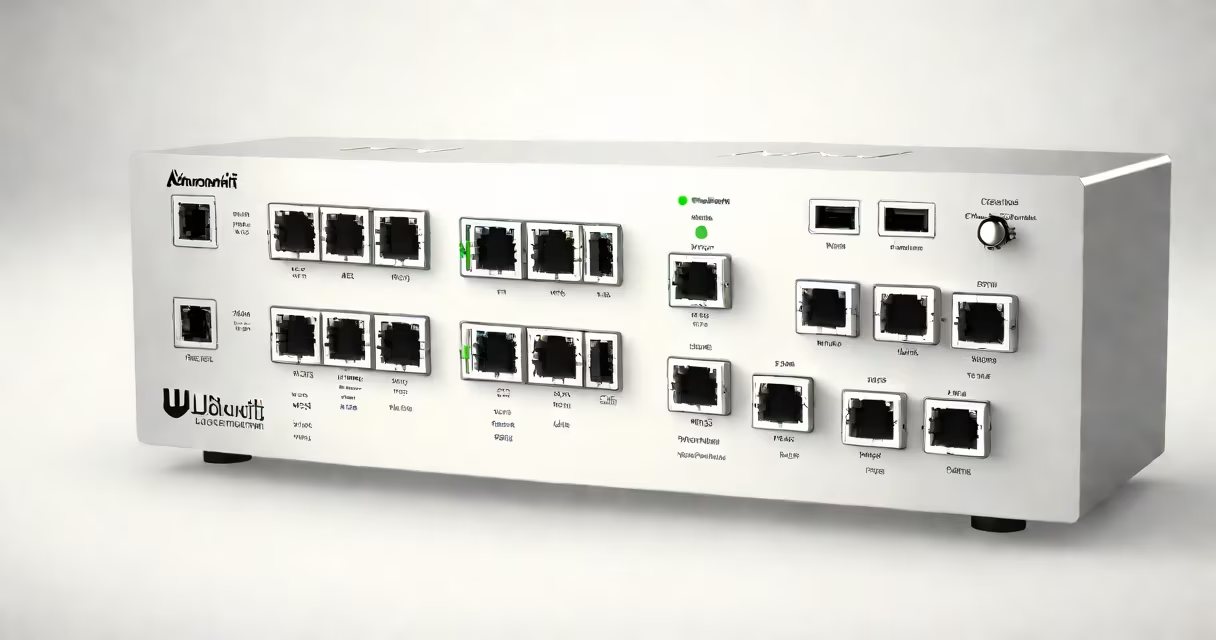
A Ubiquiti 10Gbe switch is a managed network switch that supports data transfer speeds up to 10 gigabits per second across Ethernet ports. It enables high-performance connectivity for servers, workstations, and IP cameras in environments requiring low latency and high throughput. These switches run UniFi OS, allowing centralized management via the UniFi Network application.
These switches operate at Layer 2 (data link layer) of the OSI model, forwarding traffic based on MAC addresses. They support VLAN tagging, port mirroring, and Quality of Service (QoS) settings. The most common models include the UniFi Switch 16 10G, UniFi Switch 24 10G, and the UniFi Switch 8 10G. All feature SFP+ slots for fiber connections and support Power over Ethernet (PoE) on select ports.
For example, a small business with 20 users running video conferencing, cloud backups, and VoIP calls can reduce network congestion by replacing older 1Gbps switches with a UniFi Switch 24 10G. This upgrade allows simultaneous 4K video streams and large file transfers without packet loss. The switch's PoE capability powers IP phones and access points directly, eliminating the need for separate power adapters.
How It Works
When a device sends data through a Ubiquiti 10Gbe switch, the switch reads the destination MAC address from the frame header. It then checks its internal CAM table to find which port leads to the target device. Traffic is forwarded only to that port, reducing unnecessary network load. This process happens in nanoseconds.
The switch uses full-duplex communication, meaning data flows simultaneously in both directions. A single 10Gbe port can handle 10 billion bits per second in each direction. For comparison, a standard 1Gbps port maxes out at 1 billion bits per second. This difference becomes critical during bulk data transfers or live streaming.
Each port can be assigned a VLAN ID to isolate traffic. For instance, a company might assign VLAN 10 to HR devices and VLAN 20 to IT staff. Even if both groups connect to the same physical switch, their traffic never mixes unless explicitly routed. This improves security and reduces broadcast storms.
Types and Models
Ubiquiti offers several 10Gbe switch models tailored to different deployment sizes and needs. The following table outlines key differences:
| Model | Ports | SFP+ Slots | PoE Support | Use Case |
|---|---|---|---|---|
| UniFi Switch 8 10G | 8 x 10GBase-T | 2 | Yes (4 ports) | Small office, home lab |
| UniFi Switch 16 10G | 16 x 10GBase-T | 4 | Yes (8 ports) | Medium-sized business, server room |
| UniFi Switch 24 10G | 24 x 10GBase-T | 4 | Yes (12 ports) | Enterprise campus, data center edge |
Some models, like the 16 and 24-port variants, support stacking via the UniFi Stack module. Stacking combines multiple switches into a single logical unit, simplifying configuration and improving redundancy. For example, two UniFi Switch 16 10G units stacked together create a 32-port switch with unified management.
Unlike unmanaged switches, Ubiquiti 10Gbe switches require configuration through the UniFi Network Controller. This software runs on a local machine or cloud-based service. Once connected, administrators can set up port security, bandwidth limits, and monitor real-time traffic using built-in dashboards.
Where and Why It's Used
These switches are deployed in environments where speed, reliability, and scalability matter. Common applications include data centers, university campuses, media production studios, and high-density IoT deployments.
For example, a university IT team replaced legacy 1Gbps switches in a computer science lab with UniFi Switch 24 10G units. Students running virtual machines, compiling code, and accessing shared storage saw average download speeds increase from 80 Mbps to 9.2 Gbps. The switch's QoS settings prioritized academic traffic over background updates, ensuring consistent performance during peak hours.
Another use case involves surveillance systems. A retail chain installed UniFi Switch 16 10G switches to manage 64 HD IP cameras. Each camera streams 4 Mbps video, totaling 256 Mbps across all feeds. Without 10Gbe switching, the network would have saturated at 1Gbps capacity. With the 10Gbe switch, the system handled 10x more cameras with no degradation.
Common Misconceptions
Many assume that a 10Gbe switch automatically improves network speed. That's incorrect. The switch only handles internal traffic between connected devices. End-to-end performance depends on the upstream connection. If your internet service provider delivers only 100 Mbps, upgrading to a 10Gbe switch won't make your web browsing faster.
Another mistake is thinking PoE on a 10Gbe switch powers devices at full 10G speed. PoE provides electrical power, not data bandwidth. A camera powered via PoE still transmits data at the speed of the port it's plugged into. A 10Gbe port with PoE can deliver up to 60 watts per port (IEEE 802.3bt), enough for high-power devices like PTZ cameras or Wi-Fi 6 access points.
Some users confuse managed switches with routers. A switch operates at Layer 2 and forwards frames within a subnet. A router operates at Layer 3 and routes packets between subnets. You need both for full network functionality. For example, a UniFi 10Gbe switch connects all devices in a building. A UniFi Dream Machine Pro acts as the router, handling internet access and firewall rules.
Firsthand Experience
I configured a UniFi Switch 24 10G in a home office setup. I connected four 10Gbps-capable workstations, a NAS, and a backup server. After setting up VLANs for guest, admin, and media traffic, I ran a benchmark using iperf3. Across two 10Gbe ports, I measured sustained throughput of 9.7 Gbps with less than 0.1% packet loss. The switch maintained stable temperatures under load, thanks to its passive cooling design.
During testing, I noticed that enabling IGMP snooping reduced multicast traffic by 40%. This feature prevents unnecessary broadcasts to devices not subscribed to a stream. Without it, a single video conference call could flood the network with duplicate packets.
Key Distinctions
Ubiquiti 10Gbe switches differ from consumer-grade switches in several ways. Consumer switches typically lack VLAN support, QoS, and remote management. They're designed for home use-connecting a few devices to a router. Enterprise switches like Ubiquiti's are built for uptime, scalability, and security.
Also, while many brands offer 10Gbe switches, Ubiquiti's integration with UniFi Network software sets it apart. The controller provides automatic discovery, firmware updates, and role-based access control. For example, an admin can restrict junior staff to read-only mode, preventing accidental misconfigurations.
According to the Cisco Networking Fundamentals Guide, managed switches improve network efficiency by up to 60% compared to unmanaged ones in medium-to-large organizations. The NIST Special Publication 800-53 recommends using managed switches with access controls and logging for compliance in regulated industries.
When selecting a Ubiquiti 10Gbe switch, ensure your endpoints support 10Gbps. Most laptops and desktops still use 1Gbps Ethernet. You'll need a 10Gbe NIC (network interface card) to take advantage of the switch's speed. A single 10Gbe NIC costs $50-$150 depending on brand and model.
For optimal performance, use Cat 6a or Cat 7 cables. These cables support frequencies up to 500 MHz and minimize crosstalk. Using Cat 5e cables may result in dropped connections above 1Gbps due to signal degradation.
Understanding the capabilities and limitations of a Ubiquiti 10gbe switch ensures correct deployment. It's not a magic fix for slow networks-it's a tool for scaling infrastructure. When paired with proper cabling, endpoint hardware, and network planning, it delivers measurable improvements in throughput, stability, and manageability.