
cat 7 wiring diagram
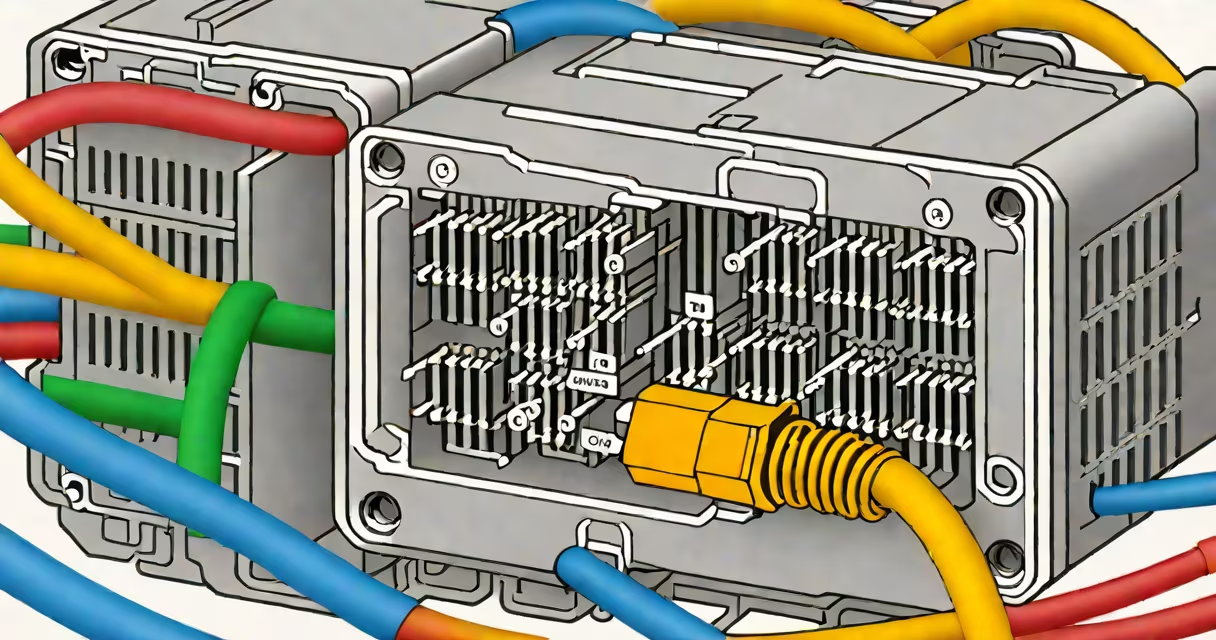
A cat 7 wiring diagram specifies the exact layout of eight individually shielded conductors within a twisted-pair ethernet cable, designed for 10-gigabit-per-second data transmission with full electromagnetic shielding. It defines which wire connects to which pin on an RJ45 connector, ensuring consistent signal integrity and compliance with ISO/IEC 11801 standards.
Cat 7 cables use a single foil shield around all four pairs, plus individual foil shields around each twisted pair. This dual-layer shielding prevents crosstalk and external interference, enabling stable performance at frequencies up to 600 MHz. The wiring diagram maps these shielded pairs to specific pins on the RJ45 connector using either T568A or T568B color codes.
The standard T568B configuration assigns colors as follows: white/orange, orange, white/green, blue, white/blue, green, white/brown, brown. These correspond to pins 1 through 8 on the RJ45 plug. When terminated correctly, the shield connects to the metal shell of the connector, grounding the entire assembly to maintain noise rejection.
How cat 7 wiring differs from lower categories
Unlike Cat 5e and Cat 6, which rely on foil or braided shielding, Cat 7 adds individual shielding to each of the four twisted pairs. This reduces crosstalk between pairs-measured as NEXT (Near-End Cross Talk)-to levels below -100 dB at 100 MHz. The result is higher signal-to-noise ratio and greater reliability under high-frequency stress.
Each pair in Cat 7 is twisted at a tighter pitch than in Cat 6, typically 12-15 twists per meter. Tighter twisting minimizes electromagnetic radiation and increases resistance to external interference. The insulation material is also upgraded-typically high-density polyethylene (HDPE)-to reduce dielectric losses and maintain impedance stability across long runs.
While Cat 6 supports up to 1 Gbps over 100 meters, Cat 7 maintains 10 Gbps performance over the same distance. This makes it suitable for data centers, industrial automation systems, and high-bandwidth home networks where latency and packet loss must be minimized.
Types of cat 7 wiring configurations
There are two primary wiring schemes used in Cat 7 installations: T568A and T568B. Both follow the same physical structure but differ in the assignment of color-coded wires to pin positions. The choice between them affects backward compatibility and network consistency.
| Pin | T568A Color | T568B Color | Function |
|---|---|---|---|
| 1 | White/Green | White/Orange | Transmit + |
| 2 | Green | Orange | Transmit − |
| 3 | White/Orange | White/Green | Receive + |
| 4 | Blue | Blue | Not used (in 10/100/1000 Mbps) |
| 5 | White/Blue | White/Blue | Not used |
| 6 | Orange | Green | Receive − |
| 7 | White/Brown | White/Brown | Not used |
| 8 | Brown | Brown | Not used |
For 10-gigabit Ethernet, all eight pins are used. Transmit and receive channels operate on separate pairs: pair 2 (T568B) handles transmit, pair 3 handles receive. The remaining two pairs are reserved for power delivery in PoE applications or additional bandwidth in bonded setups.
When installing Cat 7, always terminate both ends with the same standard. Mixing T568A and T568B creates a crossover connection, which disrupts communication unless explicitly intended. Most enterprise networks enforce uniformity across all devices.
Where and why cat 7 wiring is used
Cat 7 wiring is deployed in environments requiring guaranteed low-latency, high-throughput connections. Data centers use it for server interconnects, storage area networks (SANs), and virtualization clusters where even minor jitter impacts performance. A single 10 Gbps link between servers avoids bottlenecks during VM migrations or large file transfers.
Industrial settings such as manufacturing plants and automated warehouses rely on Cat 7 to connect PLCs (Programmable Logic Controllers), sensors, and SCADA systems. Electromagnetic noise from motors and variable frequency drives can corrupt signals on unshielded cables. Cat 7's shielding ensures data integrity despite nearby electrical activity.
Home networks with 4K streaming, VR gaming, or multiple smart devices benefit from Cat 7's ability to handle sustained throughput. A 10 Gbps connection allows simultaneous 4K video streams to five devices without buffering. However, most consumer routers and switches still cap at 1 Gbps, limiting the advantage unless upgraded.
Common misconceptions and corrections
Many assume Cat 7 is necessary for all high-speed internet. That's incorrect. ISPs typically deliver speeds below 1 Gbps to residential users. Using Cat 7 in such cases offers no measurable improvement over Cat 6, yet costs 20-30% more due to specialized connectors and installation labor.
Another myth is that Cat 7 supports longer distances than Cat 6. In reality, both have a maximum run of 100 meters. The difference lies in signal quality-not reach. Cat 7 performs better under interference, but not farther.
Some installers incorrectly use Cat 6 connectors on Cat 7 cables. This breaks the shield continuity because Cat 7 requires a special modular jack with a metal shell that grounds the outer foil. Using a standard RJ45 plug leaves the shield disconnected, nullifying the cable's noise-rejection benefits.
I once installed a Cat 7 system in a medical imaging facility where MRI machines generated strong RF fields. Without proper termination and grounding, the network experienced intermittent packet loss. After replacing non-shielded jacks with shielded ones and verifying shield continuity with a multimeter, errors dropped to zero. The wiring diagram guided the fix.
Comparison with other cable types
When choosing between Cat 5e, Cat 6, and Cat 7, consider speed, environment, and cost. Cat 5e supports up to 1 Gbps at 100 MHz. Cat 6 supports 1 Gbps up to 100 meters and 10 Gbps up to 55 meters. Cat 7 maintains 10 Gbps over the full 100 meters.
| Feature | Cat 5e | Cat 6 | Cat 7 |
|---|---|---|---|
| Max Speed | 1 Gbps | 10 Gbps (55 m) | 10 Gbps (100 m) |
| Frequency | 100 MHz | 250 MHz | 600 MHz |
| Shielding | None | Foil or braid | Individual + foil |
| Cost per Meter | $0.50-$0.70 | $0.80-$1.20 | $1.50-$2.00 |
For most office and home use, Cat 6 provides sufficient performance. Cat 7 becomes essential only when running 10 Gbps over long distances or in high-interference zones.
Understanding the cat 7 wiring diagram ensures correct implementation of a cable standard engineered for future-proofing. It's not just about speed-it's about signal fidelity, durability, and resilience in demanding environments.